Bring dancers, class schedules, tuition, and studio communication together. More room for choreography, rehearsals, and the joy of your next performance.
For every class, rehearsal, recital, and competition.
Your dance season. All together.
From after-school dance classes to competition weekends, keep your dancers and plans connected. One studio workspace for the details behind every rehearsal and recital.
Know what’s coming.
Keep dance classes, choreography rehearsals, recitals, and competitions in view as your studio season takes shape.
Know who’s involved.
Bring dancers, dance families, teachers, and role-aware studio access into one view.
Give your dance teachers and studio staff a clearer view of the administrative work, so there’s more time to teach technique, shape choreography, and support each dancer.
Your dance community, together.
Dancer, dance-family, and teacher records, with access shaped by each person’s role.
Billing, in view.
Keep tuition invoices, family balances, and payment workflows alongside your everyday studio work.
Communication, connected.
Bring class announcements, rehearsal messages, and recital next steps to the dancers and families who need them.
AI support for your studio
Meet Slipper AI. More room for dance.
A little help behind every eight count. Ask Slipper questions about your dance studio workspace and get guidance for the everyday work behind classes, rehearsals, and performances.
Sign in to use Slipper. Available features and records depend on your studio’s setup and your permissions.
Slipper
Your studio’s AI assistant
Ask in your own words.
Start with a question and get help finding your next step in the workspace.
Keep the work in context.
Get guidance for the studio details behind your dancers, schedules, and communication.
Access shaped by your role.
Your organization, membership, and permissions determine which records and actions are available.
Your studio. Their dancer. One Front Row.
Dance is one part of a full family life. Front Row helps dance families stay close to class schedules, rehearsal updates, and meaningful moments—from the studio to the competition stage and beyond.
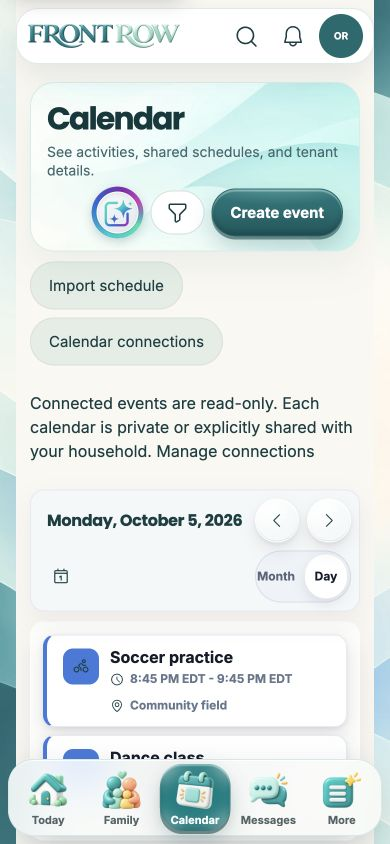
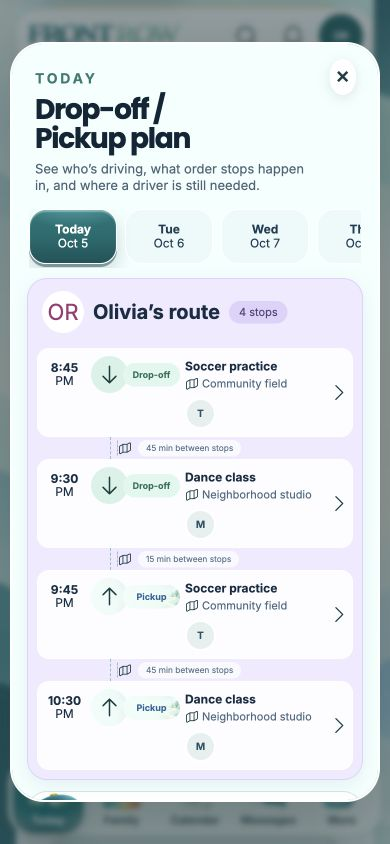
Keep the week in view. A family calendar and pickup plans bring the next dance class or rehearsal into focus.
Stay connected to your studio. Follow dance class schedules, teacher messages, and updates from connected studios.
Bring their fans along. Invite loved ones to share dance highlights, recital moments, and milestones, with family-managed access.
For the teachers behind the dance season. For the families cheering them on.
Who is Backstage for?
Backstage is the dance-studio workspace for owners, dance teachers, and staff. It brings dancers, classes, choreography, rehearsal and competition schedules, tuition billing, and communication together, with access based on membership and permissions.
How does Front Row fit in?
Backstage is where your dance studio manages its work. Front Row is the family experience, bringing connected studio schedules and updates into the family’s broader activity life. What a family can see depends on its studio connections and permissions.
Can families invite their own fans?
Yes. Front Row lets families invite supporters and manage their access to shared moments. Invited fans don’t automatically get access to your studio’s internal workspace.
How do I access my workspace?
Use “Open Backstage” to sign in. Your account’s memberships and permissions determine the workspace and features available to you. If you need access to an existing studio, contact its administrator.
Behind every dancer. Every big moment.
A clearer space for your studio, your dance families, and the work behind every performance.